If you’ve worked with solar energy for any length of time, you’ve probably stood in front of a rooftop inverter at some point—sitting in a utility closet, bolted to a garage wall, or peeking out from a panel on the side of a home. I’ve sold thousands of these units over the last 12 years, and more times than I can count, installers and homeowners have asked me the same question: “Can I upgrade my solar inverter, or do I have to tear out the whole system to get better performance?” It’s a question that’s tied up in so many small, unspoken frustrations—deals that fell apart because an old inverter couldn’t handle a new battery, missed energy savings because the unit’s firmware couldn’t adjust to new grid codes, or just that niggling feeling that you shelled out for a whole system a few years back, and now it’s suddenly outdated. The short answer isn’t a simple yes or no, though. Over the years, I’ve learned that upgrading an inverter is less like swapping out a laptop and more like modifying a car—there are parts you can tweak, limits you can’t cross, and rules you have to follow to keep everything safe. Today, I want to break that down, from what actually counts as an upgrade to when it makes sense, and when it doesn’t, from the perspective of someone who’s spent his days talking to installers, troubleshooting in the field, and hearing all the messy, real-world stories that don’t make it into spec sheets. Solar Inverter
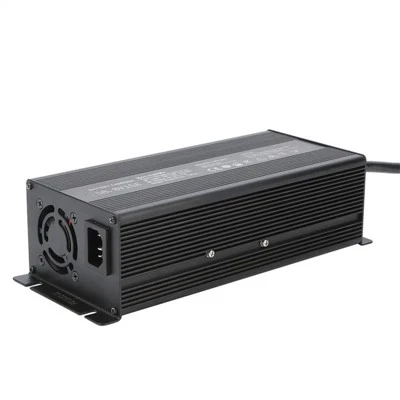
Let’s start with the basics, because most people don’t actually know what an inverter does, and that confusion is the root of a lot of the “can I upgrade” debates. A solar panel makes direct current (DC) electricity when the sun hits it—same kind of power that comes out of a phone or a laptop charger. But your house runs on alternating current (AC), the kind that travels through power lines. The inverter’s whole job is to convert that DC to AC, and it does a bunch of other stuff too: it maximizes the amount of power the panels make (that’s called maximum power point tracking, or MPPT, if you want the jargon), keeps track of how much energy you’re using and sending back to the grid, talks to your utility company, and if you have a battery, it manages how power flows between the panels, battery, and house. It’s basically the middleman between your panels, your home, and the grid, so if that middleman has an update, it affects everything else.
Now, when people say “upgrade,” they’re usually talking about one of two things: either a software update, which is way simpler, or a hardware swap, which is way more complicated. Let’s start with software, because that’s the kind of upgrade I’ve been doing on units shipped in the last 8 years, and it’s almost always possible—if your installer knows what they’re doing. A lot of people don’t realize that modern inverters aren’t just hardware; they have tiny computers inside them, running firmware that controls all their functions. That firmware can be updated remotely, same as your phone or your smart thermostat. I’ve seen this solve so many problems I never would have thought to fix with code. A customer in Phoenix had a 2018 inverter that was underproducing in the summer, when temperatures hit 115 degrees. The manufacturer released a firmware update that adjusted the MPPT algorithm to account for high heat, so instead of shutting down at 105 degrees, it stayed efficient all the way up to 120. That customer didn’t have to touch a wire, didn’t pay for a technician to come out, and gained 12% more power that summer. Another big software upgrade is grid code compliance. Utilities change their rules all the time—last year, California required all residential inverters to have new anti-islanding settings to keep linemen safe during outages. Instead of pulling every old inverter off roofs, manufacturers pushed a firmware update that fixed that, so customers stayed in compliance without a hardware change. Even battery compatibility is often a software update these days. A lot of inverters from 2019 don’t work with lithium iron phosphate (LFP) batteries, which are way cheaper and longer-lasting than the old lead-acid ones. We used to tell people they had to replace the whole inverter, but now many manufacturers offer a free firmware update that adds LFP support, as long as your inverter is still under warranty and has the right communication ports. The key here, though, is that not all inverters can take a software upgrade. If your inverter is older than 2015, chances are it doesn’t have the cloud connectivity or the processing power to run new firmware. I see that all the time—installers will bring me a 2012 string inverter, ask if we can update it, and I have to tell them no, it’s a physical piece of hardware without the brain to change. That’s when people start asking about hardware upgrades, and that’s where things get tricky.
Hardware upgrades are the ones that actually change the physical parts of the inverter, not just the code inside. This is where a lot of the myths come from, because it’s not as simple as plugging a new part in. Let’s be clear: you can’t put a 10kW inverter in the spot of a 5kW one and call it an upgrade, most of the time. The inverter size is matched to your panels, first of all. If you have four 250W panels, that’s 1000W, or 1kW of total DC power. If you put a 5kW inverter there, it can only convert 1kW, so you’re wasting money on a bigger unit. But there are legitimate hardware upgrades that make sense, and that I’ve helped hundreds of customers pull off successfully. The most common one is adding MPPT channels. MPPT is the part of the inverter that finds the sweet spot for power production, and more MPPT channels mean you can split your panels into groups that face different directions, without losing power. A customer in Colorado had panels on both the east and west sides of his house, all connected to a single MPPT channel on his 2017 inverter. On summer mornings, the east panels produced power, but the west ones were in shade, and the MPPT couldn’t adjust for both, so he lost 8% of his total production every year. We added a hardware upgrade—just a $350 module that plugs into the inverter’s communication port—and suddenly he had two MPPT channels, one for east, one for west. That translated to $210 a year in extra savings, and the whole thing took less than an hour for a licensed electrician. I’ve also done upgrades for communication ports. A lot of homeowners want to add a smart meter or a Wi-Fi monitor to track their energy use in real time, but their old inverter only has an analog port, which is outdated. We can swap out the port for a new digital one, so they can connect to their phone app, without replacing the whole inverter. Even battery-compatibility hardware is a thing now, for inverters that don’t qualify for a free firmware update. If you have a 2018 inverter that can’t take LFP, we can add a small hardware module that adds the CAN bus communication needed to talk to LFP batteries, for a fraction of the cost of a new inverter. But here’s the catch: every hardware upgrade has limits. You can’t just swap any part into any inverter. The inverter’s internal wiring, its cooling system, its power rating—all of it is designed for a specific set of parts. I once had a customer who tried to upgrade his 3kW inverter to a 4.5kW inverter himself, just by swapping the main circuit board. He didn’t realize the old inverter’s cooling fan was only rated for 3kW, so after a month of running in hot weather, the new board overheated and fried. It wasn’t just a wasted part; it took out half his panels too, and he had to pay $1,800 to fix it. That’s why I always tell people: if you’re thinking about a hardware upgrade, go through a licensed technician, and check with the manufacturer first. Most inverter makers keep a list of compatible upgrade parts, and they’ll tell you up front if your unit can take a change or not—no guesswork involved.
Now, the big question: when is upgrading your inverter actually worth it, and when is it a waste of time and money? I’ve had customers spend $500 on an inverter upgrade that saved them $70 a year, and others spend $400 on a firmware update that saved them $320 a year. The difference is in what you’re trying to get out of it. If your main problem is that your inverter is underproducing because it can’t handle high temperatures, or it doesn’t have battery support, or it’s not up to code, an upgrade is almost always worth it—especially if your inverter is less than 10 years old, and still under warranty. Replacing a 7-year-old inverter costs between $1,500 and $2,500, so if an upgrade costs a few hundred bucks and gets you the same result, that’s a no-brainer. But if your inverter is older than 10 years, and it’s already showing signs of wear—like making strange noises, shutting down randomly, or having error codes that manufacturers won’t fix—an upgrade is probably not worth it. I had a customer last year with a 2012 inverter that was 12 years old. He wanted to upgrade it to add battery support, but when we checked, the inverter’s power components were already starting to fail, even though it was still working. The upgrade would have cost $600, and the inverter would have been dead in another year or two anyway. We ended up selling him a new inverter for $1,800, and he’s been happy with it. Another thing to consider is future-proofing. If you plan to add more panels or a battery in the next 2-3 years, an upgrade is a good way to get ahead of that. A lot of people wait until they add a battery to realize their old inverter can’t handle it, and then they’re stuck paying for a new inverter plus installation on top of the battery cost. If you upgrade your inverter first, when you add the battery later, it’s just plug-and-play, no extra work. I also have to mention the grid angle here. In some areas, utilities require inverters to have specific features, like voltage regulation or reactive power control. If your inverter is out of compliance, you could get fined, or your system could be shut off. A firmware update is usually free, and it keeps you in line with those rules, so that’s another good reason to upgrade before you get a notice from your utility company.
Let’s also talk about the myths that float around about inverter upgrades, because I hear them all the time. First myth: “Upgrading an inverter voids my warranty.” That’s only true if you modify it without the manufacturer’s approval, or if the upgrade causes the problem. If you go through a licensed installer, and use manufacturer-approved upgrade parts, your warranty stays intact. I’ve had customers do firmware updates from our team, and their warranties didn’t change at all. Second myth: “You can upgrade any inverter, no matter how old.” Nope, like I said earlier, inverters before 2015 almost never have the processing power or connectivity for upgrades. I have a 2010 inverter in my own garage, just as a backup, and I looked into upgrading it a few years back—turns out, there’s no firmware or hardware upgrade available for it, so it’s just a paperweight now, and I’ll have to replace it if my main inverter fails. Third myth: “A newer inverter is always better than an upgraded old one.” That’s not true either. A lot of 2020s inverters are designed for mass production, so they cut corners on build quality to keep prices low. I had a customer who replaced his 2018 industrial-grade inverter with a 2022 consumer-grade one, and his production dropped 9% because the new unit didn’t have the same MPPT efficiency. Upgrading the old inverter to add a battery and new firmware cost him $500, and he got better performance than the new $2,000 unit he bought. The key here is to look at the specs, not just the year.
Now, I want to be honest about the risks, because I don’t want anyone to make a mistake that costs them money. The biggest risk with any upgrade is electrical damage, and that’s why I always emphasize working with a licensed, experienced solar technician. I’ve seen people try to swap out inverter parts themselves, because they saw a YouTube video, and end up with a dead inverter, dead panels, or even a fire risk. Inverters work with high voltage DC, which can kill you if you don’t know what you’re doing. Even firmware updates can go wrong if the installer doesn’t have the right credentials for the manufacturer—there was a bad batch of firmware a few years back that bricked over 1,000 inverters, all because the installers used unofficial update files. Another risk is compatibility. I can’t tell you how many times I’ve talked to installers who ordered an upgrade part that worked in one unit, but not another, even though they had the same model number. Inverter manufacturers change parts all the time, even for the same model, to cut costs, so you have to make sure the upgrade is specifically for your unit’s serial number, not just the model name. That’s why it’s always better to go through your supplier or a licensed technician, who has access to the latest part lists and compatibility info.
So, putting this all together: can a solar inverter be upgraded? Yes, in most cases—if your unit is less than 10 years old, still functional, and you know what kind of upgrade you need. Software upgrades are the easiest, most common, and most cost-effective way to get better performance, comply with new rules, or add battery support. Hardware upgrades are possible too, but they’re more complex, have more limits, and are only worth it if they solve a specific problem that a new inverter would cost much more to fix. If your inverter is over 10 years old, showing signs of failure, or the upgrade would cost almost as much as a new unit, it’s probably better to replace it.
At the end of the day, solar energy is a long-term investment, and you don’t want to throw good money after bad on a system that’s already outdated. But you also don’t want to replace your whole system just because one part is out of date. The best thing to do if you’re considering an inverter upgrade is to talk to someone who actually works with these units every day—someone who’s not just pushing a sale, but can tell you if an upgrade is the right move for your specific setup.
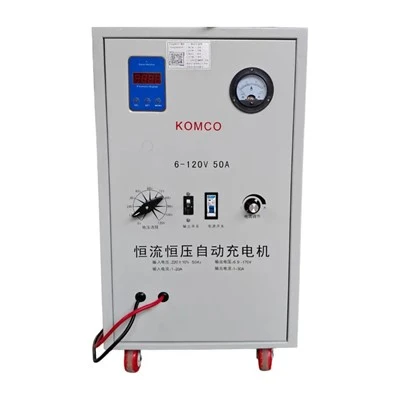
If you’re dealing with an old inverter that can’t handle new batteries, or one that’s underperforming because it’s not updated to the latest grid codes, or if you just want to get more out of the system you already have, we’re here to help. We work with residential and commercial installers across the country, and we can help you check if your inverter is eligible for an upgrade, source the right parts or firmware, or walk you through the process of getting it done safely. Whether you need a simple software update, a hardware modification, or advice on replacing your old unit entirely, we can provide the expertise you need to make the best decision for your energy needs. Reach out to our team to start a conversation about your solar inverter upgrade or replacement needs—we’re happy to help you get the most out of your solar investment.
Car Battery Charger References
- International Electrotechnical Commission. Solar Inverter Safety and Performance Standards, IEC 62116.
- Solar Energy Industries Association. “Residential Solar Inverter Upgrade and Retrofit Best Practices.” 2022.
- North American Board of Certified Energy Practitioners. “Inverter Compatibility and Upgrade Guidelines for Grid-Tie Solar Systems.” 2021.
- U.S. Department of Energy. “Advanced Inverter Technologies for Grid Modernization.” 2023.
Huizhou Qiangfeng Power Technology Co., Ltd.
Huizhou Qiangfeng Power Technology Co., Ltd. is one of the most professional solar inverter manufacturers and suppliers in China, featured by quality products and good service. We warmly welcome you to buy customized solar inverter made in China here from our factory. If you have any enquiry about quotation and free sample, please feel free to email us.
Address: No. 28, Hu’ao Avenue, Shiwan Town, Boluo County, Huizhou City, Guangdong Province
E-mail: Komco@Jinlidianqi.cn
WebSite: https://www.autobatterychargers.com/
